


Call Blocker - Block Numbers
4.15.27K Reviews
App Specs
- Version
- 3.1.2.1787
- Updated On
- License
- Free
- Downloads
- 5,000,000+
- Developer
- Spam Call Blocker Apps
- Categories
- Communication
- Platform
- Android
Screenshots
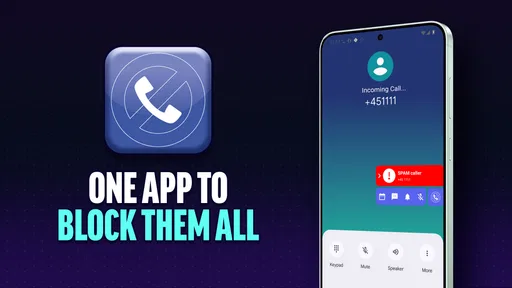
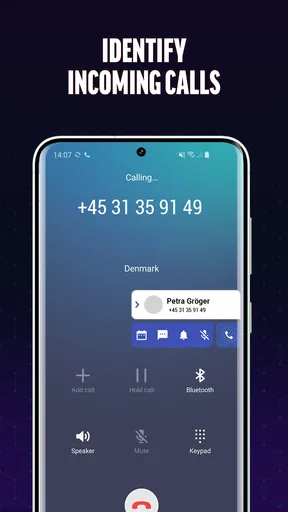
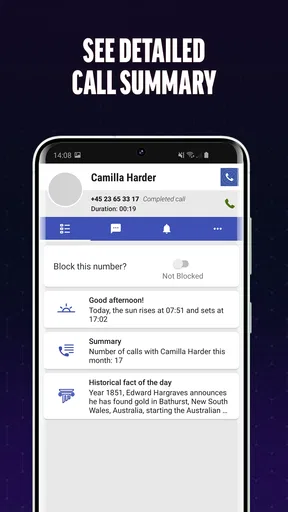
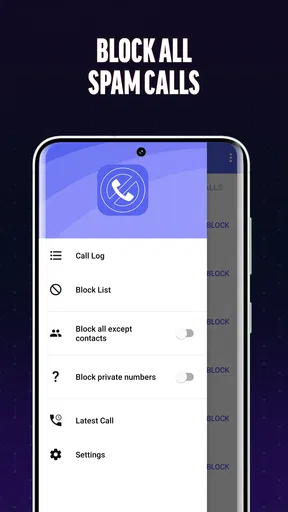
 Analysis by AppCompare
Have you ever been in the middle of a relaxing evening and suddenly, your phone starts buzzing with an unknown number? If you’re anything like me, you know how annoying that can be. That's why I decided to give Call Blocker - Block Numbers a try, and let me tell you, it's been a game-changer for my peace of mind.
What Makes Call Blocker Stand Out?
First off, the user interface is as straightforward as it gets. After installing the app, you're greeted with a clean and intuitive dashboard. The setup process is a breeze, and within minutes, you can start blocking those pesky callers. What I love most is how customizable the settings are. You can block specific numbers, unknown numbers, or even create a whitelist for those VIP contacts you never want to miss a call from.
Features That Make Life Easier
The app offers a variety of features that cater to different needs. For instance, you can activate the "Do Not Disturb" mode, which is perfect for when you're in meetings or just need some quiet time. There's also a handy feature that allows you to block numbers with certain prefixes, which is super useful if you’re getting a lot of spam calls from a specific area code.
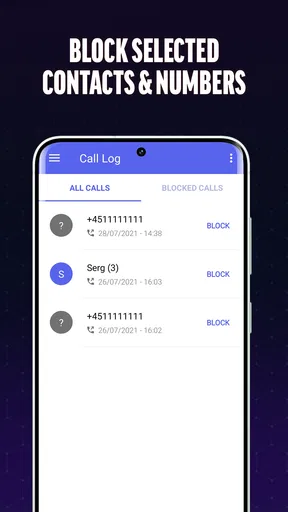
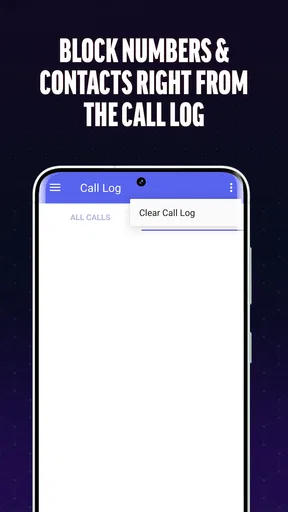
Another cool feature is the call log. It keeps a detailed record of all blocked calls, so you always know who tried to reach you. This can be particularly helpful if you're dealing with persistent telemarketers or prank callers.
Easy on the Battery
One thing I was worried about was battery drain, but Call Blocker is surprisingly lightweight. It runs quietly in the background without consuming much power, which is a huge plus for those of us who are constantly on the go and can’t afford to have our phone battery drained by midday.
Spam Call Protection
The app is also equipped with a robust spam call protection feature. It uses a constantly updated database to recognize and block spam numbers. I’ve noticed a significant decrease in spam calls since installing the app, which makes it worth every bit of storage space it takes up.
Other Noteworthy Features
- Blacklist: Easily add numbers to your blacklist to block them permanently.
- Whitelist: Create a whitelist to ensure calls from important contacts are never blocked.
- Customizable Alerts: Choose how you want to be notified of blocked calls, or turn off notifications altogether.
One of my personal favorites is the ability to report spam numbers. This not only helps improve the app's database but also aids other users in avoiding pesky spam calls.
Worth Reading Before You Choose

EA SPORTS FC Mobile 26 Is a Bigger Football Game, but It Takes Time

Flipboard Shows What News Apps Must Do Beyond the Feed

Switching to Android Auto Means Rethinking Your Driving Routine

Google Calendar Makes a Crowded Week Easier to Manage

Ludo King Makes the Most of the Minutes Between Plans

Baby Panda World Brings Quick Play to Modern Phones, but Its Game Library Feels Busy
Who Should Use Call Blocker?
If you find yourself overwhelmed by unwanted calls, this app is a must-have. Whether it's telemarketers, robocalls, or just that one persistent ex, Call Blocker has got you covered. It's also a great tool for parents who want to protect their kids from unsolicited calls.
Final Thoughts
Overall, Call Blocker - Block Numbers is a solid app that delivers on its promises. It’s packed with features that are both practical and easy to use. The peace of mind it provides is priceless, especially in this day and age where spam calls seem to be at an all-time high. So, if you’re looking to take back control of your phone and keep those unwanted calls at bay, this app is definitely worth checking out.
Pros
- Blocks spam calls effectively
- Easy to use interface
- Customizable block list
- Minimal battery usage
- Regular updates
Cons
- Limited free features
- Ads in free version
- Some numbers slip through
- No SMS blocking
- Occasional app crashes
FAQs for Call Blocker - Block Numbers
How does Call Blocker - Block Numbers improve my phone's privacy?
Call Blocker enhances your device’s privacy by allowing you to block unwanted calls from unknown numbers, telemarketers, and spam callers. The app uses a robust database to identify and filter spam calls before your phone even rings, giving you peace of mind and control over who can reach you.
Is it easy to set up and customize the blocking settings?
Yes, Call Blocker is designed with user-friendly features that make setup and customization straightforward. Users can easily add numbers to their block list, adjust settings to block unknown or private numbers, and even customize how blocked calls are managed, all within an intuitive interface.
Can I see a log of the blocked calls?
Absolutely. Call Blocker provides a detailed log of all blocked calls, allowing you to review and manage them as needed. This feature is particularly useful for checking if any important calls were mistakenly blocked and for keeping track of persistent spam callers.
Does using Call Blocker affect my phone’s performance?
Call Blocker is optimized to run seamlessly in the background without affecting your phone’s performance. It is lightweight and efficient, ensuring that your device remains fast and responsive while effectively managing unwanted calls.
Is Call Blocker compatible with all Android and iOS devices?
Call Blocker is compatible with most modern Android and iOS devices. However, it is recommended to check the app’s requirements and ensure your device meets the necessary specifications to guarantee optimal performance and compatibility.


